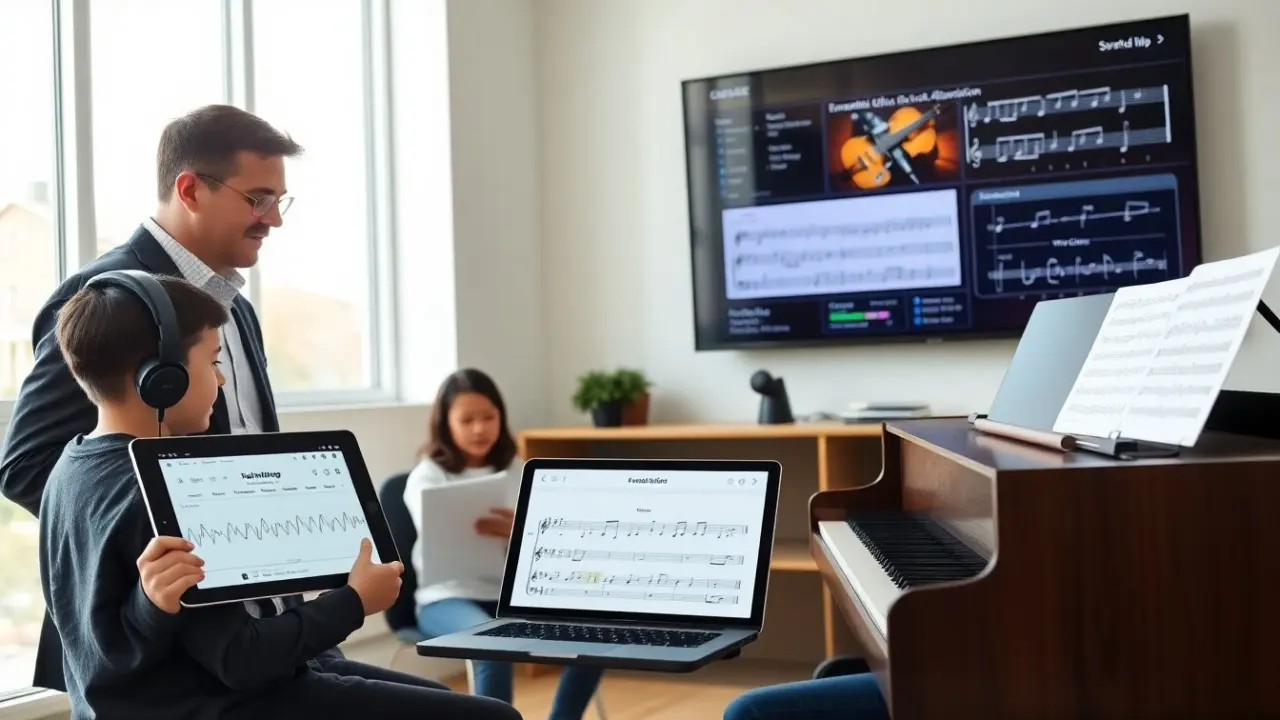
ai in music education changes how teachers teach and how students learn. It gives teachers data and students clear practice paths. It adapts exercises to each learner. It grades performance tasks and it offers instant feedback. It lets teachers scale instruction and frees time for creative coaching. This article shows practical uses, classroom examples, and ethical points for schools and teachers. Below you will find expanded classroom scenarios, step-by-step implementation suggestions, concrete pilot metrics, and practical rubrics that educators can adapt immediately.
Key Takeaways
- AI in music education personalizes practice and feedback by analyzing tempo, pitch, and rhythm in real time for each student.
- Teachers use AI tools to automate assessment and track progress trends, allowing them to focus on creative coaching and interpretation.
- AI supports diverse learning styles and ensemble work by providing tailored exercises, click tracks, and tracking each student’s contribution.
- Practical AI applications include adaptive ear-training apps, composition assistants, and notation software that enhance classroom instruction.
- Ethical use of AI requires protecting student data, addressing bias by cross-checking AI scores with human judgment, and ensuring equitable access to technology.
- Educators should start with small pilots, set clear expectations for AI use, and promote creative collaboration between AI tools and human critique.
How AI Enhances Music Teaching: Personalized Practice, Assessment, And Feedback
AI in music education personalizes lessons to match each student’s level. It measures tempo, pitch, and rhythm in real time and surfaces the exact moments where intonation or timing drifted. Rather than generic corrective comments, many systems can point to measures, beats, or notes that need work and suggest short, focused exercises designed to close specific gaps. Over time, this produces individualized practice paths that adjust as a student improves or struggles.
AI in music education automates routine assessment tasks. Tools can generate objective scores for sight-reading fluency, rhythm accuracy, and pitch stability, and then store those results in class dashboards. This lets teachers quickly compare a student’s baseline to recent attempts and to class averages. Rather than replacing professional judgment, these automated scores act as a time-saving filter: teachers can spot students needing intervention, prioritize in-class coaching, and verify progress across grading periods.
AI in music education supports varied learning styles. For visual learners it provides notation with color-coded error highlights and waveform overlays; for aural learners it isolates melody or accompaniment lines and offers slowed or looped playback; for kinesthetic learners it sequences short, gesture-based warmups tied to motor skills. The technology amplifies differentiated instruction by creating multiple accessible pathways through the same curriculum. Importantly, the tools are meant to extend—not replace—the teacher’s real-time artistic and motivational guidance.
AI in music education also helps group work by making ensemble practice more manageable. Systems can align parts, generate individualized click tracks, and stitch together separate recordings so students can hear how their part fits in context. Classroom examples include remote chamber groups who upload takes and receive a synchronized mix for review, or large ensembles where the conductor uses analytic reports to see which sections need sectional rehearsals. These capabilities let teachers target rehearsals efficiently and design exercises that address collective weaknesses like balance or blend.
Practical Tools And Classroom Use Cases: From Ear Training To Composition
Teachers adopt several AI tools in the classroom with clear task-based goals. Ear-training apps provide adaptive interval, chord, and rhythm drills that increase or decrease difficulty based on performance. Composition assistants can suggest chord progressions, orchestrations, and melody variations while offering multiple stylistic options. Automatic transcription and notation software convert short performances into editable scores. Practice-management apps structure routines, track time-on-task, and create practice logs that students and teachers can review together.
In a typical lesson the teacher assigns a short exercise on an app: for example, a two-minute scale pattern or a melody with target dynamics. The student records the exercise and the app returns an objective score, visual feedback pinpointing errors, and specific tips (tempo targets, recommended drills). The student repeats the exercise with targeted suggestions and the app updates the score; the teacher then reviews a summary that highlights persistent issues and decides targeted next steps. This loop—practice, AI feedback, teacher intervention—accelerates improvement without adding grading burden.
AI in music education also supports composition tasks at many levels. A student inputs a motif and the tool proposes harmonies, countermelodies, and textural ideas while offering options across styles (classical, jazz, pop). The tool can generate alternate voicings or synthesize mock-ups so students hear orchestration choices immediately. Teachers use these drafts to teach form, voice-leading, and arrangement—asking students to justify creative decisions and to edit AI suggestions so the human composer remains in charge of artistic intent.
Classroom use cases vary by level and setting. In elementary classes, ai in music education offers simple call-and-response games, pattern recognition activities, and rhythm-matching that build basic musicianship. In secondary classrooms it provides deeper harmonic analysis, DAW-assisted production assignments, and ensemble practice tools. In higher education, AI supports research on performance technique, detailed waveform analysis, and the production of high-quality mock recordings for juried assessment. Across levels, teachers can scaffold tasks so students move from guided interaction with AI to independent creative work.
Teachers choose tools based on privacy, cost, and ease of use. A practical selection process includes trialing several apps, collecting student and teacher feedback, and evaluating whether the tool integrates with existing LMS or gradebooks. Pilot projects often focus on one measurable outcome—improved sight-reading accuracy, increased practice minutes, or reduced teacher grading time—so decisions are evidence-based rather than vendor-driven.
Ethical Considerations, Challenges, And Implementation Tips For Educators
AI in music education raises data and fairness concerns. Tools collect audio and performance data that can include identifiable student voices and metadata. Schools should require clear parental consent, prefer vendors with robust student-privacy provisions, and ask whether audio is stored, how long it is retained, and who can access it. A practical privacy checklist includes data minimization, on-premises or encrypted storage options, clear deletion policies, and the ability to export student data for portability.
AI systems may show bias in evaluation. They can be tuned to particular timbres, instruments, or genres and may under-score performances outside those norms. To mitigate bias, teachers must cross-check AI scores with human judgment, calibrate rubrics that combine AI metrics and qualitative comments, and document deviations. Sample rubrics can pair an AI-derived accuracy score (tempo/pitch) with a human-assigned artistry score (expression/phrasing) so a single number does not define a student’s musical growth.
Access and cost present real challenges. Not every student has a reliable instrument, quiet practice space, or device at home. Schools can address this by offering loaner equipment, scheduling supervised lab time, and prioritizing low-bandwidth or offline-capable tools where possible. Districts should explore grant opportunities, community partnerships, or phased rollouts that start with classroom sets before expanding to take-home access.
Implementation tips help teachers start small and iterate. Begin by picking one core task—ear training, practice tracking, or basic transcription—and run a six-week pilot. Collect simple, actionable metrics: student engagement (logins, minutes practiced), accuracy gains on targeted skills, and estimated teacher time saved. Use short teacher workshops to train staff, create a troubleshooting FAQ, and designate an on-site tech lead to handle initial setup. Document lessons learned and scale gradually based on evidence and teacher comfort.
Teachers should set clear classroom rules for AI use so expectations are transparent. Define when the tool will provide formative feedback versus when a human will grade summative work; teach students how to interpret AI feedback and to use it as a starting point for revision; and emphasize the distinction between accuracy and artistry. Consider classroom prompts that require students to annotate AI feedback—explaining why they accept or reject a suggestion—to develop critical listening and reflective skills.
Finally, educators should promote creative, critical use of AI. Pair AI suggestions with human critique and classroom discussion: ask students to edit AI-generated music, to justify compositional choices, and to document the creative process. Evaluate creativity as a separate skill in rubrics and reward experimentation. When used thoughtfully, ai in music education can expand access, accelerate skill development, and free teachers to do what machines cannot: mentor interpretation, musicality, and long-term artistic growth.